
Welcome! Sign in to manage
your bookings

Menu

Step-by-Step TDAC Guide

Thailand Digital Arrival Card - Complete Filling Instructions

🎥 Watch the Tutorial Video

Detailed explanation of how to fill the form step by step

Open Video in TikTok
⚠️ Important Information Before You Start
  • You must fill the form within 72 hours (3 days) before arrival
  • Official website: https://www.tdac.immigration.go.th - 100% Free
  • All data must be entered in English only
  • Keep your TDAC confirmation on your phone and print a backup copy
1
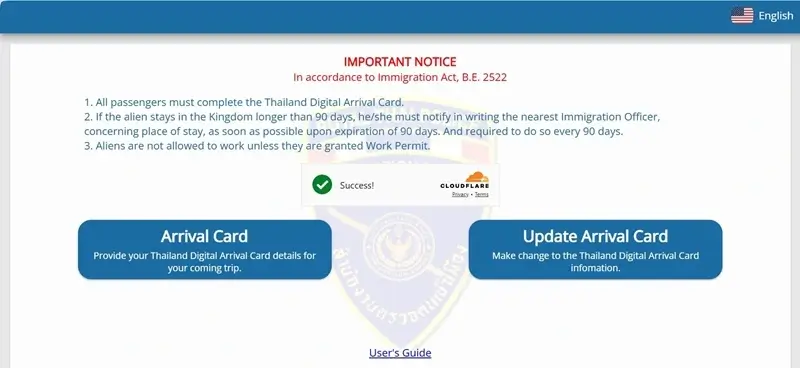
🌐 Access the Official Website
TDAC Homepage

TDAC Official Website Homepage

📋 Homepage Explanation
Arrival Card

Click here to fill the form for the first time

Update Arrival Card

To modify travel or accommodation details
💡 Important Tips
  • Make sure you're on the official website: https://www.tdac.immigration.go.th
  • Do not pay any fees - the official site is free
  • You can change the language but data must be in English
2
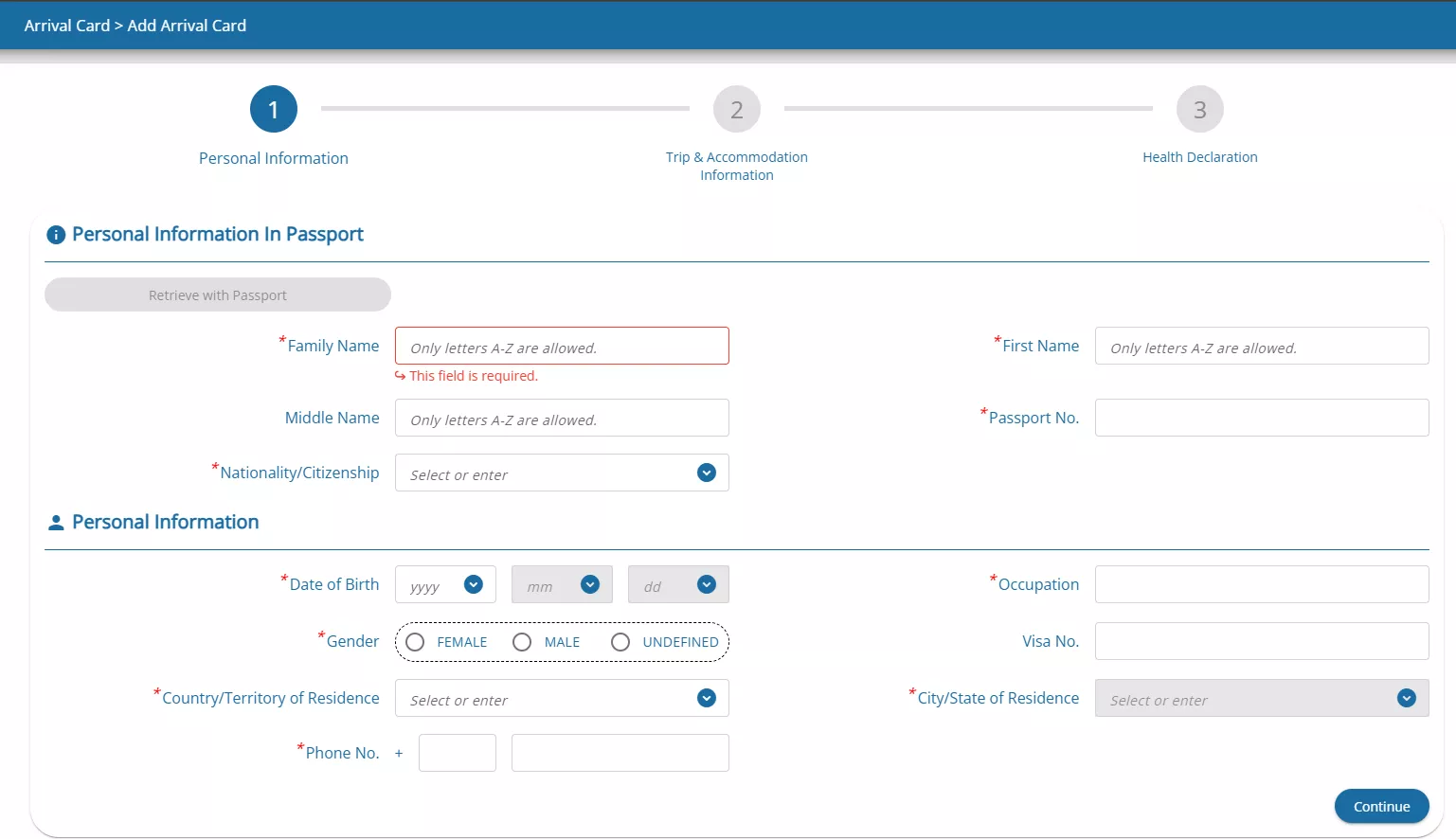
📝 Enter Personal Information
Personal Information Form

Personal information entry page from passport

📝 Required Fields Explanation
Family Name / Surname

As shown in your passport

First Name

As shown in your passport

Date of Birth

Day/Month/Year format

Passport Number

Exactly as written in passport

Nationality

Select from list (e.g., Saudi Arabia)

Email Address

Confirmation will be sent here

⚠️ Important Warning

All data must exactly match your passport. Any error may cause delays at the airport or entry denial!
3
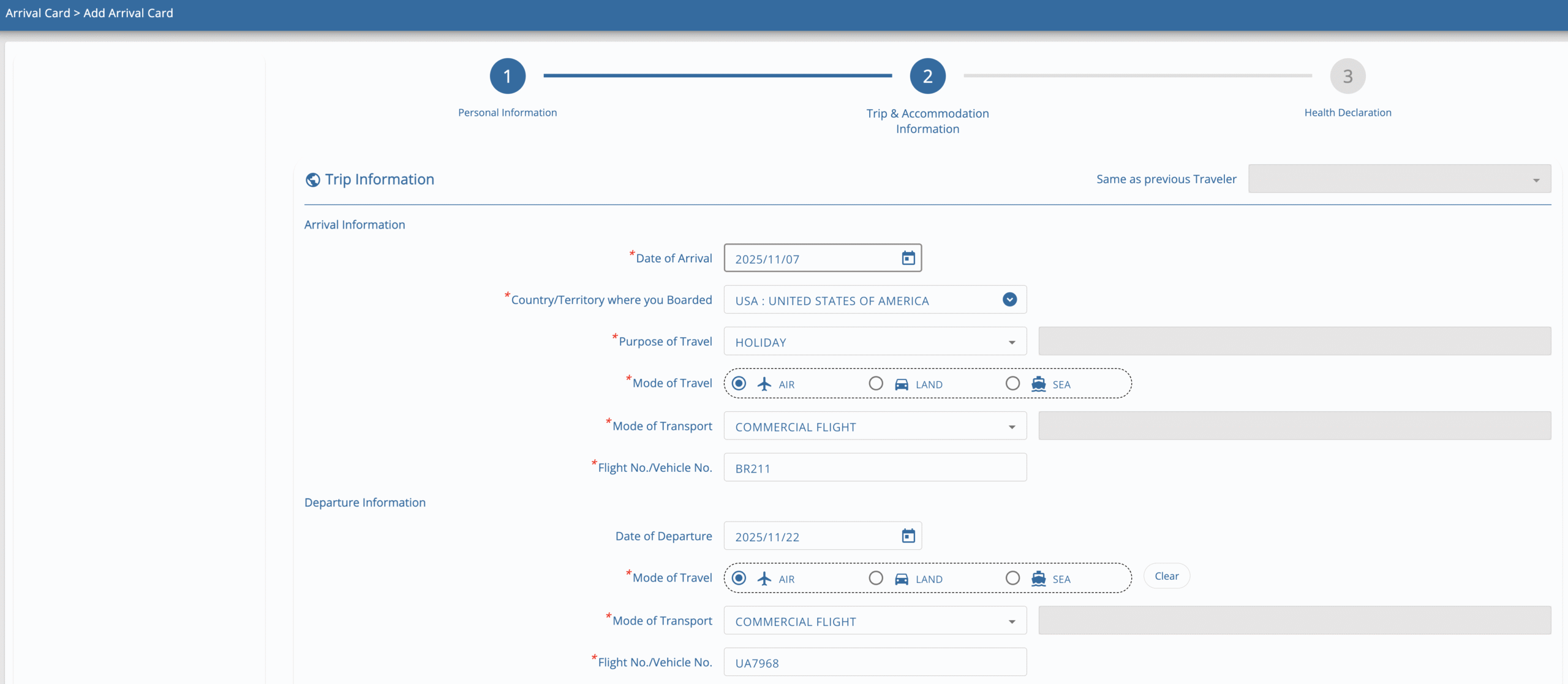
✈️ Flight and Travel Details
Flight Details

Flight and accommodation information entry page

✈️ Trip Information Fields
Arrival Date

Within 3 days from today

Flight No.

Example: TG601

Port of Arrival

BKK (Bangkok) or HKT (Phuket)

Accommodation

Full hotel address

4

🏥 Health Declaration

Enter countries visited in last 14 days

5

✅ Review & Submit

Verify data and save QR Code

6

🛬 Upon Arrival

Show QR Code at immigration